
OpenROAD#

About OpenROAD#
OpenROAD is the leading open-source, foundational application for semiconductor digital design. The OpenROAD flow delivers an Autonomous, No-Human-In-Loop (NHIL) flow, 24 hour turnaround from RTL-GDSII for rapid design exploration and physical design implementation.
OpenROAD Mission#
OpenROAD eliminates the barriers of cost, schedule risk and uncertainty in hardware design to promote open access to rapid, low-cost IC design software and expertise and system innovation. The OpenROAD application enables flexible flow control through an API with bindings in Tcl and Python.
OpenROAD is used in research and commercial applications such as,
Hammer from UC Berkeley
OpenFASoC from IDEA-FASoC for mixed-signal design flows
OpenROAD fosters a vibrant ecosystem of users through active collaboration and partnership through software development and key alliances. Our growing user community includes hardware designers, software engineers, industry collaborators, VLSI enthusiasts, students and researchers.
OpenROAD strongly advocates and enables IC design-based education and workforce development initiatives through training content and courses across several global universities, the Google-SkyWater shuttles also includes GlobalFoundries shuttles, design contests and IC design workshops. The OpenROAD flow has been successfully used to date in over 600 silicon-ready tapeouts for technologies up to 12nm.
Getting Started with OpenROAD-flow-scripts#
OpenROAD provides OpenROAD-flow-scripts as a native, ready-to-use prototyping and tapeout flow. However, it also enables the creation of any custom flow controllers based on the underlying tools, database and analysis engines. Please refer to the flow documentation here.
OpenROAD-flow-scripts (ORFS) is a fully autonomous, RTL-GDSII flow for rapid architecture and design space exploration, early prediction of QoR and detailed physical design implementation. However, ORFS also enables manual intervention for finer user control of individual flow stages through Tcl commands and Python APIs.
Figure below shows the main stages of the OpenROAD-flow-scripts:
Here are the main steps for a physical design implementation using OpenROAD;
FloorplanningFloorplan initialization - define the chip area, utilization
IO pin placement (for designs without pads)
Tap cell and well tie insertion
PDN- power distribution network creation
Global PlacementMacro placement (RAMs, embedded macros)
Standard cell placement
Automatic placement optimization and repair for max slew, max capacitance, and max fanout violations and long wires
Detailed PlacementLegalize placement - align to grid, adhere to design rules
Incremental timing analysis for early estimates
Clock Tree SynthesisInsert buffers and resize for high fanout nets
Optimize setup/hold timingGlobal RoutingAntenna repair
Create routing guides
Detailed RoutingLegalize routes, DRC-correct routing to meet timing, power constraints
Chip FinishingParasitic extraction using OpenRCX
Final timing verification
Final physical verification
Dummy metal fill for manufacturability
Use KLayout or Magic using generated GDS for DRC signoff
GUI#
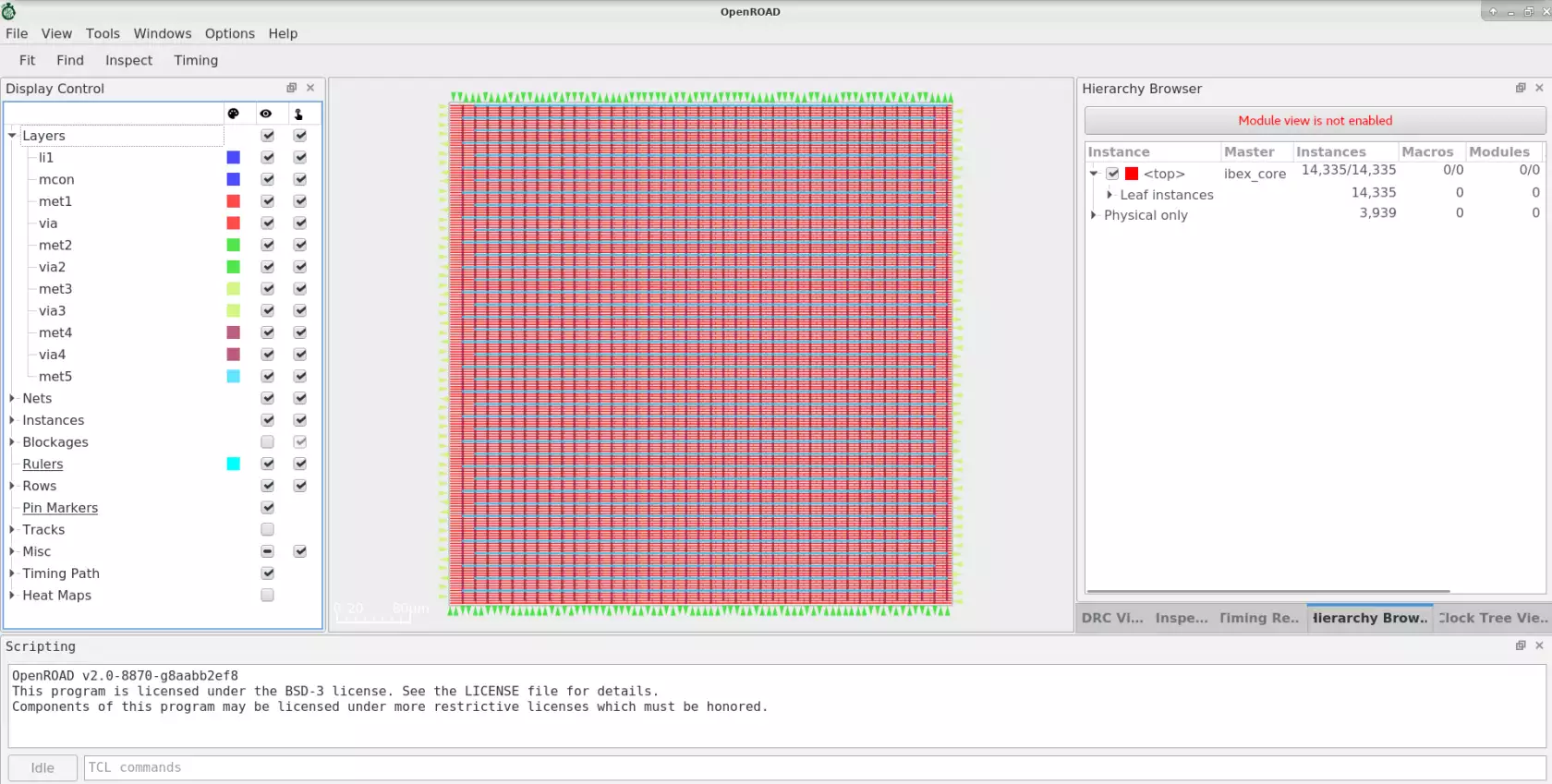
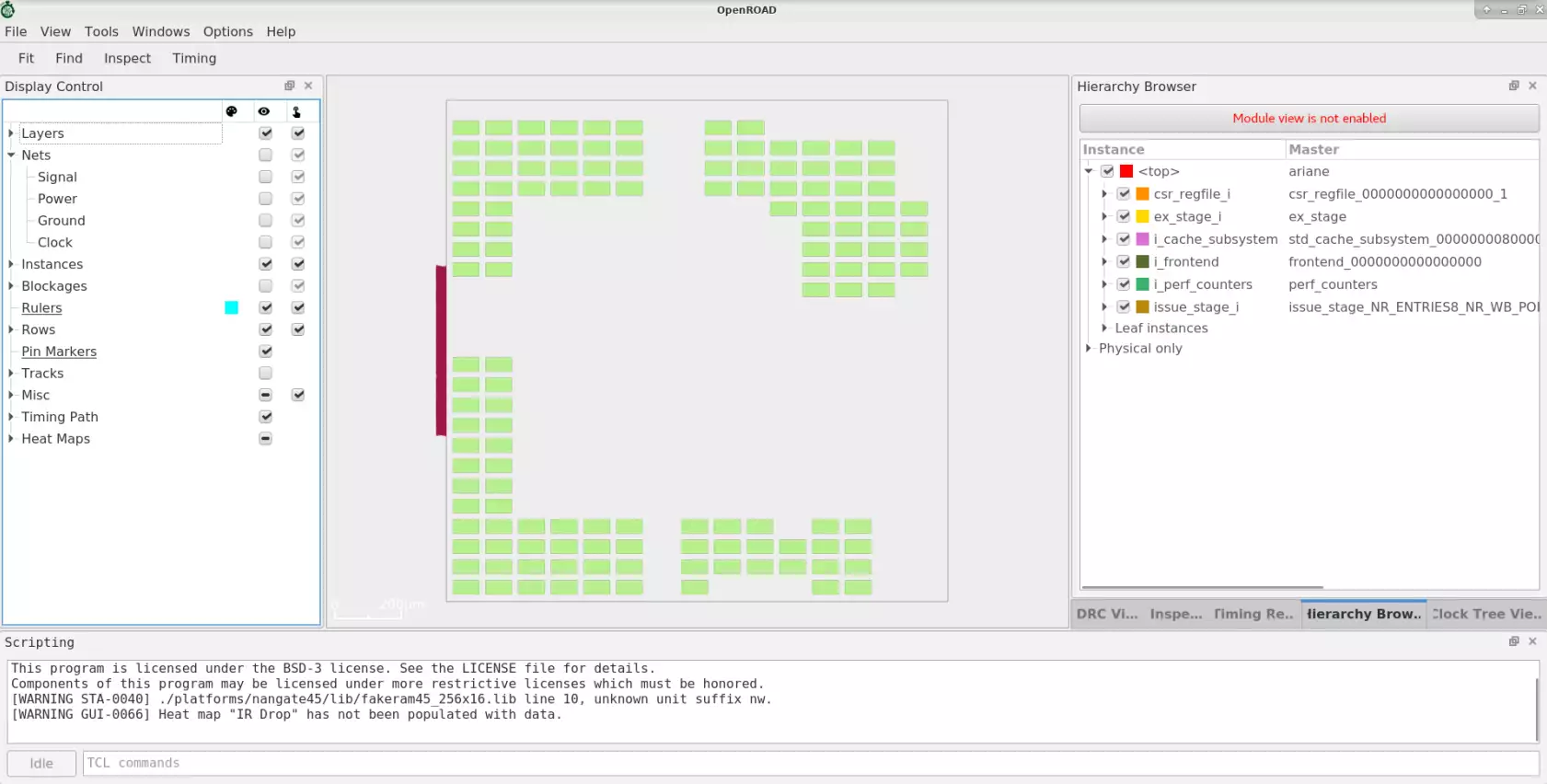
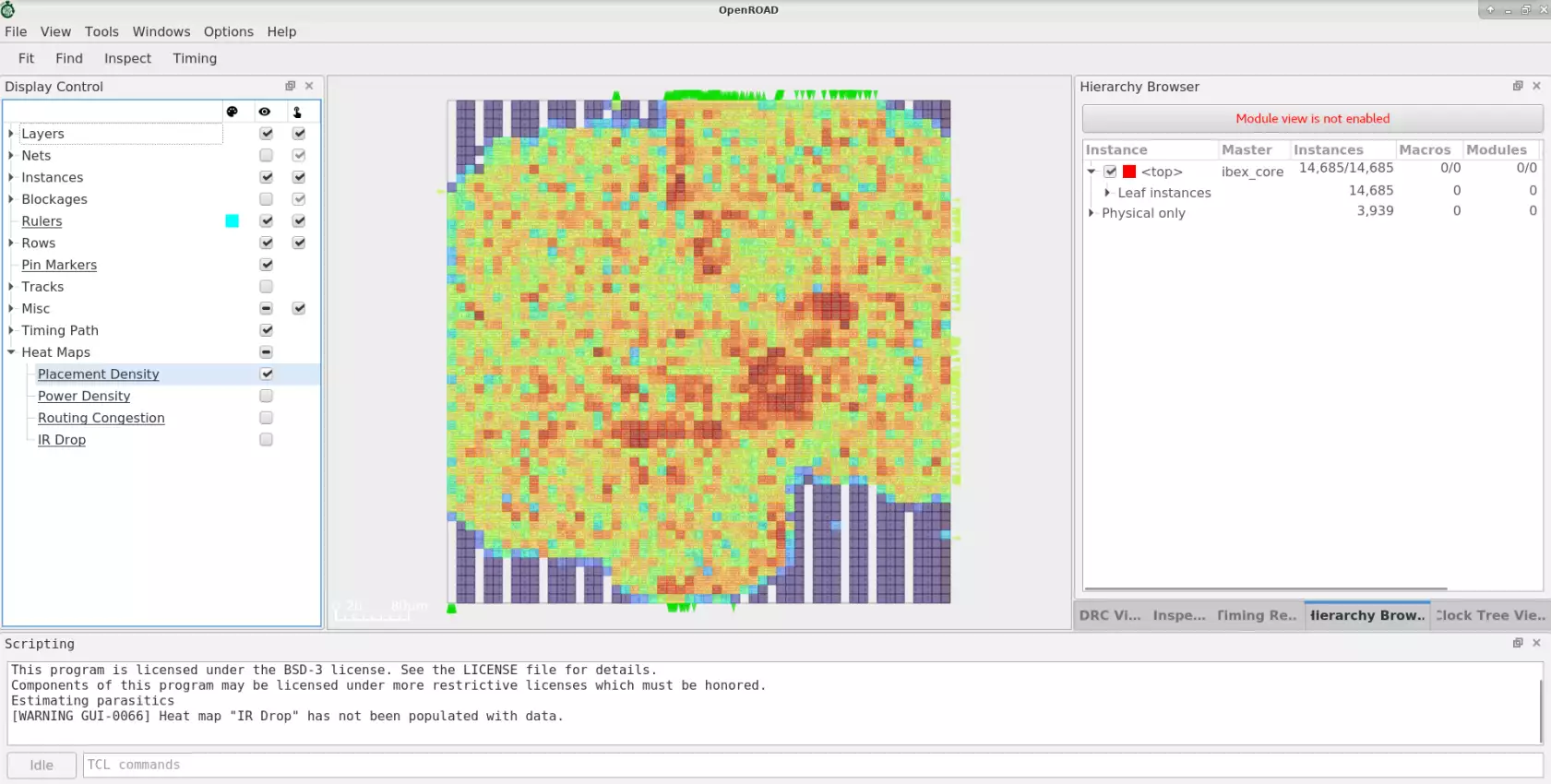
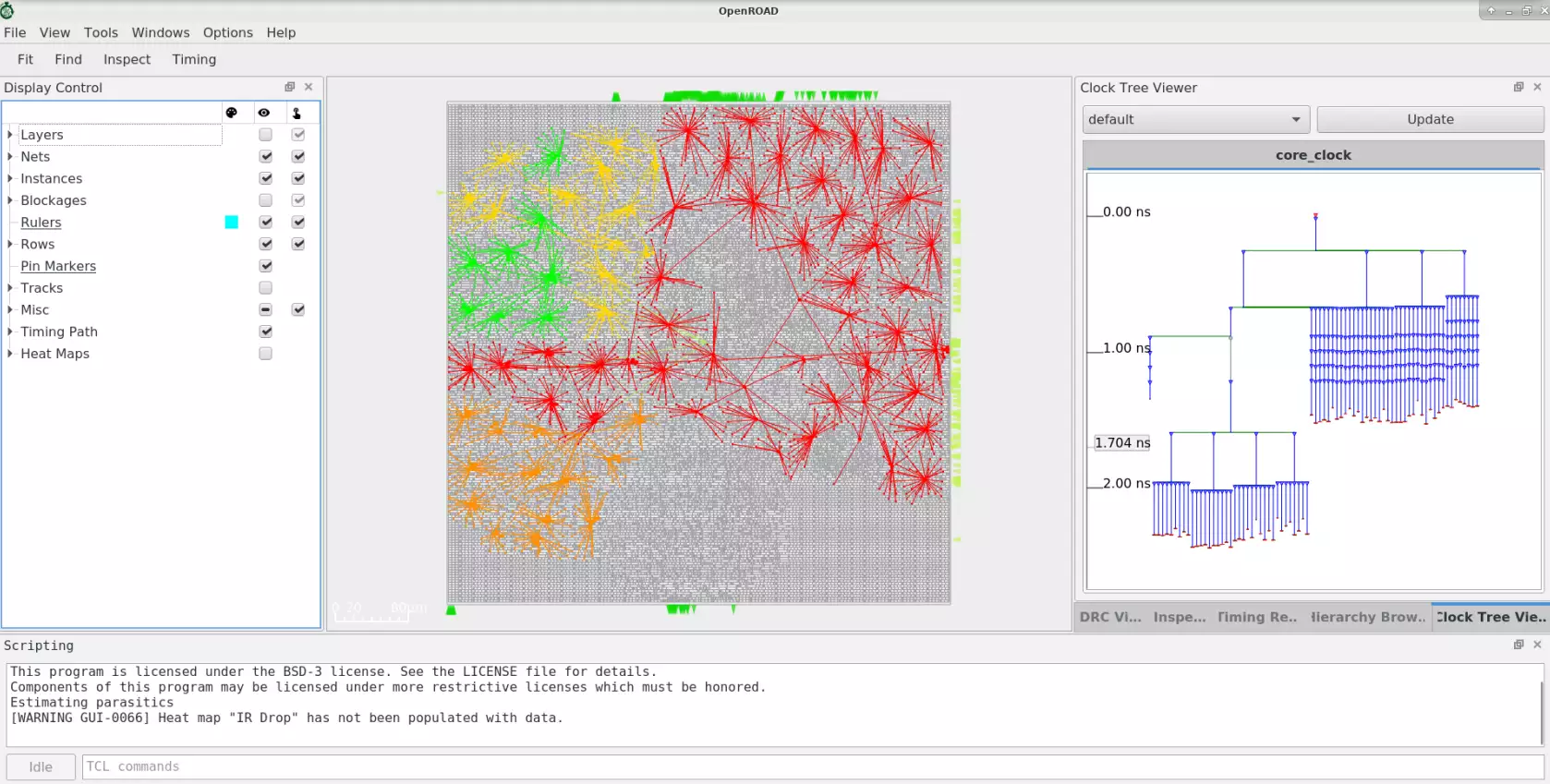
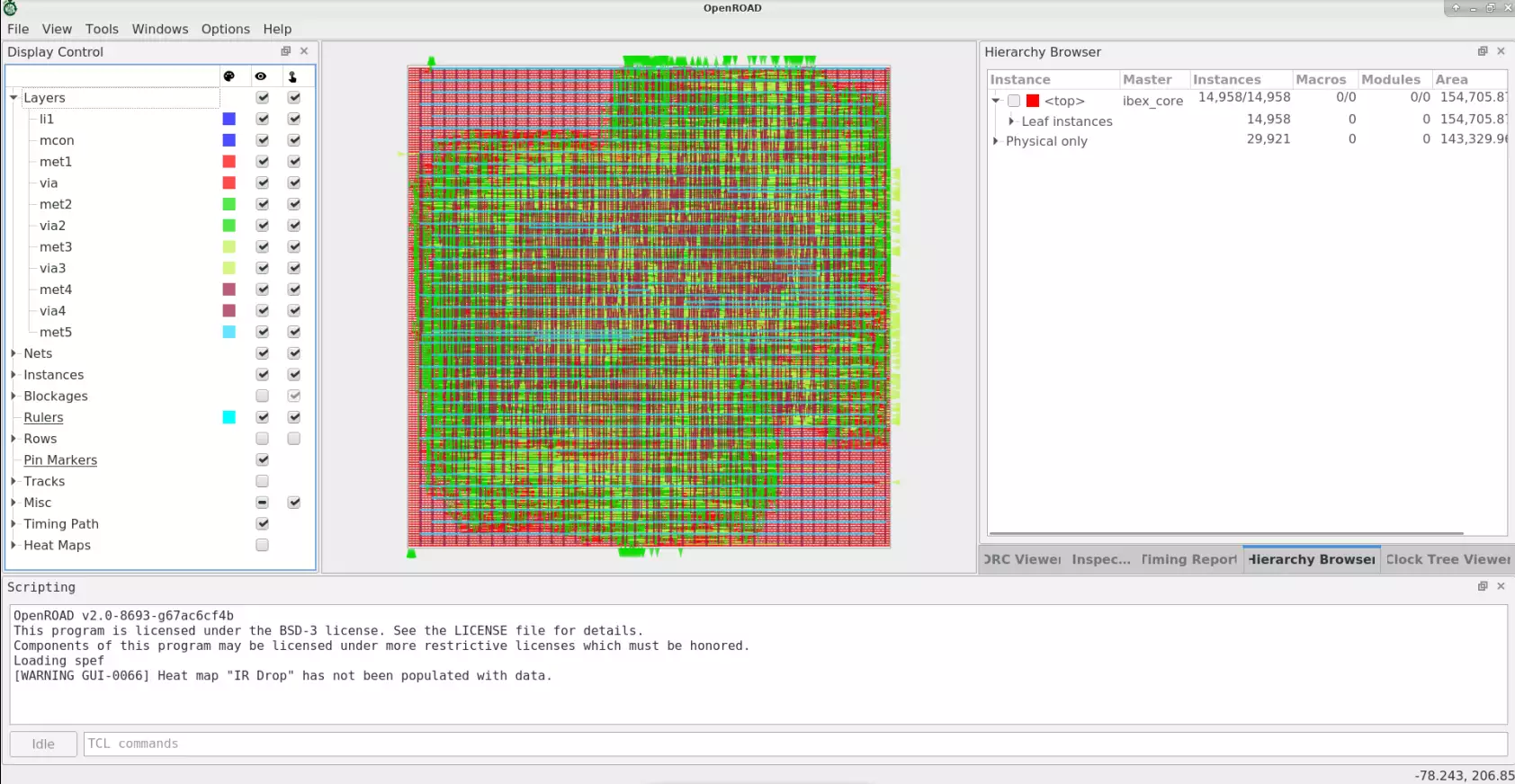
The OpenROAD GUI is a powerful visualization, analysis, and debugging tool with a customizable Tcl interface. The below figures show GUI views for various flow stages including floorplanning, placement congestion, CTS and post-routed design.
Floorplan#
Automatic Hierarchical Macro Placement#
Placement Congestion Visualization#
CTS#
Routing#
PDK Support#
The OpenROAD application is PDK independent. However, it has been tested and validated with specific PDKs in the context of various flow controllers.
OpenLane supports SkyWater 130nm and GlobalFoundries 180nm.
OpenROAD-flow-scripts supports several public and private PDKs including:
Open-Source PDKs#
GF180- 180nmSKY130- 130nmNangate45- 45nmASAP7- Predictive FinFET 7nm
Proprietary PDKs#
These PDKS are supported in OpenROAD-flow-scripts only. They are used to test and calibrate OpenROAD against commercial platforms and ensure good QoR. The PDKs and platform-specific files for these kits cannot be provided due to NDA restrictions. However, if you are able to access these platforms independently, you can create the necessary platform-specific files yourself.
GF55- 55nmGF12- 12nmIntel22- 22nmIntel16- 16nmTSMC65- 65nm
Tapeouts#
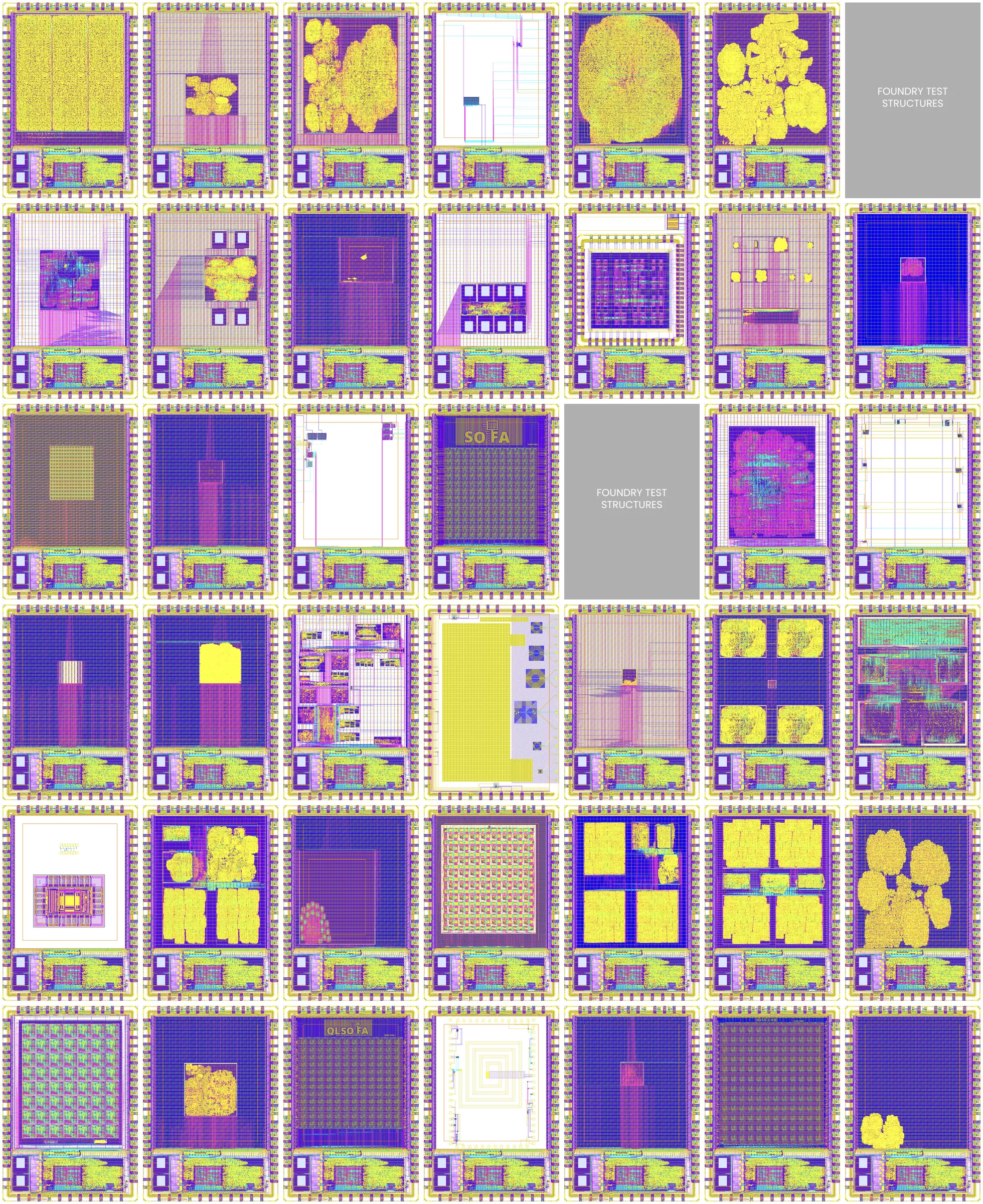
OpenROAD has been used for full physical implementation in over 600 tapeouts in SKY130 and GF180 through the Google-sponsored, Efabless MPW shuttle and ChipIgnite programs.
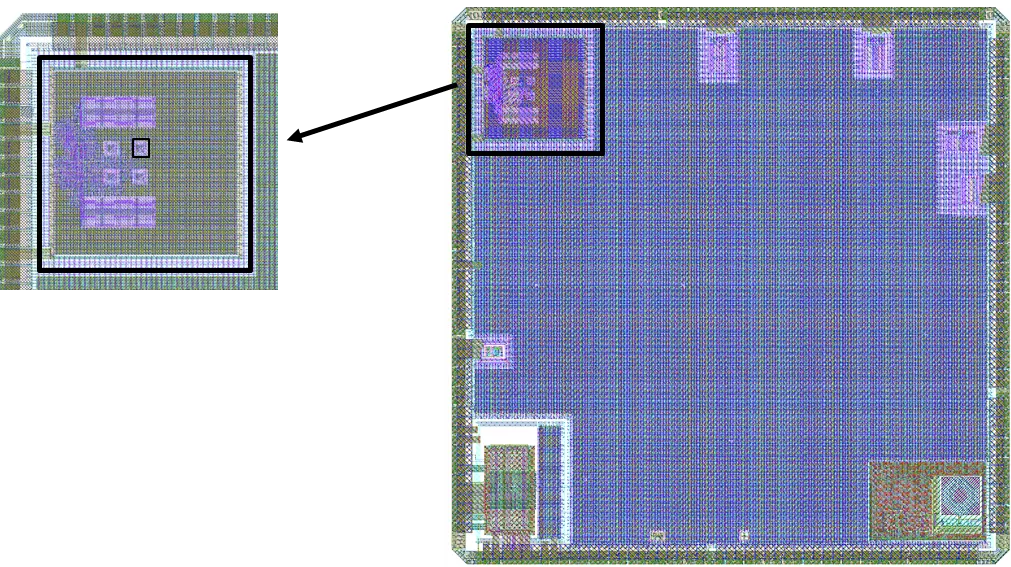
OpenTitan SoC on GF12LP - Physical design and optimization using OpenROAD#
Continuous Tapeout Integration into CI#
The OpenROAD project actively adds successfully taped out MPW shuttle designs to the CI regression testing. Examples of designs include Open processor cores, RISC-V based SoCs, cryptocurrency miners, robotic app processors, amateur satellite radio transceivers, OpenPower-based Microwatt etc.
Build OpenROAD#
Bazel is the supported build system:
bazelisk run --//:platform=gui //:install
To build OpenROAD tools locally on your machine, follow steps from here.
The CMake build is deprecated. It is no longer developed and will be removed in a future release; the CMake configure step prints a warning to this effect. Please switch to Bazel.
Third-party dependencies: submodules vs. Bazel BCR#
OpenROAD ships two build systems, and they source third-party code differently:
CMake: CMake has no central registry of versioned dependencies, so third-party sources are vendored as git submodules (see
.gitmodulesand the nested.gitmodulesfiles under each submodule). Some of these submodules look like forks but are really just pinned upstream trees; they exist so CMake has a directory to point at. These are upstream mirrors — kept as submodules because that is what CMake can consume.Bazel: prefer the idiomatic options, in order:
A module from the Bazel Central Registry (
bazel_depinMODULE.bazel). This is the default — pinned, mirrored, reproducible, and no submodule needed.If the dependency is not on BCR, fetch the upstream repository directly with
http_archive(preferred) or a module extension. For modules that exist on BCR but need a different revision,git_override(pinned by commit) orarchive_override(pinned by URL + SHA256) can be used. Bring a BUILD overlay only when upstream does not ship one.A real fork (with OpenROAD-specific patches) stays as a git submodule because that is also what CMake needs; Bazel then references it via its local path.
The rule of thumb: if Bazel can get it from BCR or directly from the upstream repo, do not add a submodule just for Bazel. Submodules are the CMake-side compromise, not the source of truth for Bazel builds.
Regression Tests#
There are a set of executable regression test scripts in ./test/.
# run tests for all tools
./test/regression

# run all flow tests
./test/regression flow

# run <tool> tests
./test/regression <tool>

# run all <tool>-specific unit tests
cd src/<tool>
./test/regression

# run only <TEST_NAME> for <tool>
cd src/<tool>
./test/regression <TEST_NAME>
The flow tests check results such as worst slack against reference values.
Use report_flow_metrics [test]... to see all of the metrics.
% report_flow_metrics gcd_nangate45
                       insts    area util slack_min slack_max  tns_max clk_skew max_slew max_cap max_fanout DPL ANT drv
gcd_nangate45            368     564  8.8     0.112    -0.015     -0.1    0.004        0       0          0   0   0   0
To update a failing regression, follow the instructions below:
# update log files (i.e. *ok)
save_ok <TEST_NAME>

# update "*.metrics" for tests that use flow test
save_flow_metrics <TEST_NAME>

# update "*.metrics_limits" files
save_flow_metrics_limits <TEST_NAME>
Run#
openroad [-help] [-version] [-no_init] [-exit] [-gui]
         [-threads count|max] [-log file_name] [-db file_name] cmd_file
  -help              show help and exit
  -version           show version and exit
  -no_init           do not read .openroad init file
  -threads count|max use count threads
  -no_splash         do not show the license splash at startup
  -exit              exit after reading cmd_file
  -gui               start in gui mode
  -python            start with python interpreter [limited to db operations]
  -log <file_name>   write a log in <file_name>
  -db <file_name>    open a .odb database at startup
  cmd_file           source cmd_file
OpenROAD sources the Tcl command file ~/.openroad unless the command
line option -no_init is specified.
OpenROAD then sources the command file cmd_file if it is specified on
the command line. Unless the -exit command line flag is specified, it
enters an interactive Tcl command interpreter.
A list of the available tools/modules included in the OpenROAD app and their descriptions are available here.
Git Quickstart#
OpenROAD uses Git for version control and contributions. Get familiarised with a quickstart tutorial to contribution here.
Understanding Warning and Error Messages#
Seeing OpenROAD warnings or errors you do not understand? We have compiled a table of all messages and you may potentially find your answer here.
License#
BSD 3-Clause License. See LICENSE file.